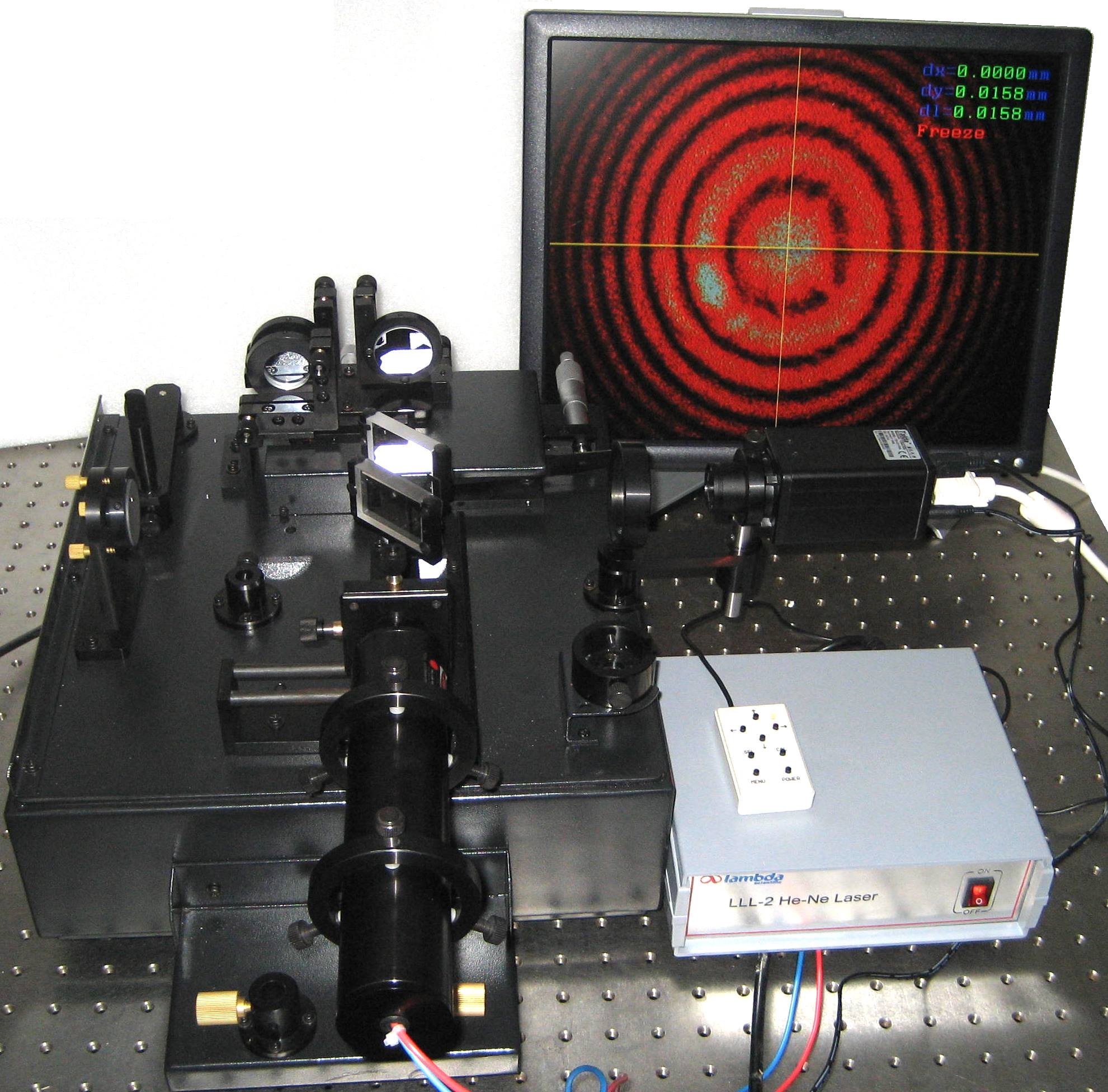
 Michelson interferometer
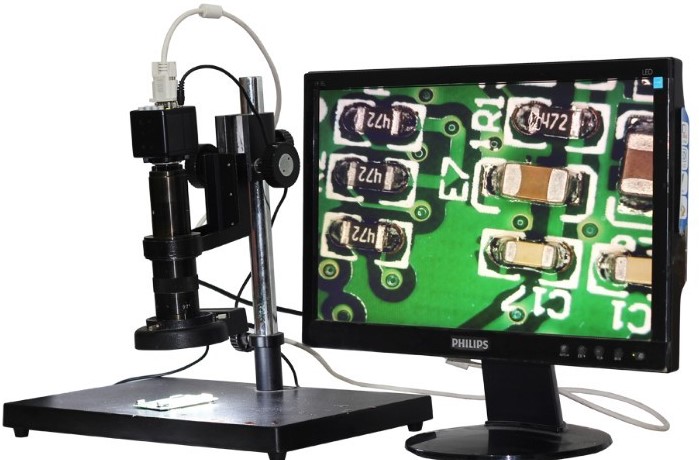
Microscopic PCB inspection
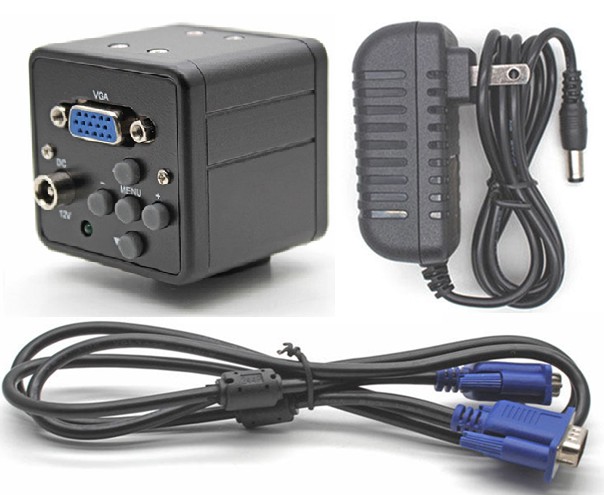
Features
2.0 megapixel CMOS sensor, resolution: 1920 × 1080
Up to 32 adjustable crosshair lines (16 horizontal + 16 vertical)
VGA output compatible with PC monitors, projectors, and digital displays
User-friendly operation via rear keypad
Applications
Academic teaching
Microscopic amplification systems
QC/QA in micro IC assembly
PCB and SMT production
Medical and scientific
Jewelry appraisal
This camera enables direct-projection microscope functionality in our optics experiment kits when connected to a display projector. The real-time video output can also be displayed on a large screen for classroom or group observation.
Installation
Install a proper camera lens onto the CS mount of the camera
Connect the VGA OUT port to a display device using a VGA cable
Connect a 12 VDC power adapter to the DC IN socket
Rear Panel Menu Operation
Power On/Off: Press and hold the MENU button for approximately 3 seconds.
Press MENU once, main menu pops up; press MENU again, main menu closes.
Press ↑/↓to highlight menu, then press → to select menu.
If there is a submenu, press ↑/↓ to highlight submenu, then press ←/→ to change value of the selected submenu.
Press Save/Exit to save settings and exit menu.
Specifications
| Sensor | 2.0 megapixel, color, 1/3” CMOS |
| Effective pixels | 1920 (H) x 1080 (V), pixel size 2.8 μm x 2.8 μm |
| Frame rate | up to 30 frames/s progressive scan (1920 × 1080), electronic shutter |
| Exposure | auto/manual |
| White balance | auto/manual |
| Lens mount | CS/C |
| Video output | VGA, resolution selectable from 1024 x 768 to 1920 x 1024 |
Menu function | brightness, contrast, sharpness, saturation, noise reduction (NR), hue, black & white mode |
| crosshair lines: adjustable color, position, direction, and line width | |
| freeze, flip, mirror, anti-flicker (on/off) | |
| Working temperature | 0~60 °C |
| Power supply | 12 VDC ± 10%, 300 mA |
| Dimensions | 50 x 50 x 50 (mm) |
| Package | camera unit (CS), 12 VDC adapter, VGA cable, manual |
Michelson interferometer
Microscopic PCB inspection